Java URL Encode: Practical Guide to Safe Encoding
 Reza Khosravi
Table of Contents
You're debugging a production request where a search for coffee & tea returns no results. The server log shows coffee+%26+tea, while another component expected coffee%20%26%20tea. Both strings look plausibly encoded, but they represent different conventions, and that distinction can break routing, search, signatures, and interoperability.
The phrase Java URL encode usually points developers toward java.net.URLEncoder. That's often correct for form-style query data, but it's the wrong choice for every other URL component. Java's standard library separates HTML form encoding from general URI construction, and reliable code depends on knowing where each model applies.
Why Java URL Encoding Trips Up Experienced Developers
The root cause is historical, not careless programming. URLEncoder implements application/x-www-form-urlencoded, the format used for HTML form data. It preserves alphanumeric characters plus ., -, *, and _, converts spaces to +, and percent-encodes other characters, as described in the Java SE documentation for URLEncoder.
That behavior is useful in a query parameter such as q=coffee+%26+tea. A form-aware server interprets the plus signs as spaces and %26 as an ampersand inside the value. The same output becomes problematic when placed in a path, where + generally means a literal plus character rather than a space.
The same characters, different meanings
A URL isn't one undifferentiated string. It contains a scheme, authority, path, query, and possibly a fragment. Each component has structural delimiters and encoding rules.
| URL location | Typical concern | Appropriate model |
|---|---|---|
| Query parameter value | Form-style spaces and reserved characters | URLEncoder |
| Path segment | URI percent-encoding and literal path structure | URI |
| Full URL assembly | Preserving scheme, host, delimiters, and components | URI |
| HTML form body | application/x-www-form-urlencoded | URLEncoder |
RFC 3986 formalized modern URI percent-encoding in January 2005, including the rule that characters outside the unreserved set should be converted to UTF-8 bytes and percent-encoded. It also distinguishes the form variant, where spaces become + rather than %20, as documented in this Java URL encoding standards overview.
Production rule: A plus sign is not a universal replacement for a space. Treat it as a form-encoding convention, not a general URI rule.
The mistake often appears during threat modeling as well as debugging. A malformed URL can affect authorization, redirects, routing, or signature validation, so URL construction belongs in an application's threat modeling workflow, not only in unit tests.
Encoding Query Parameters with URLEncoder
For individual query parameter names and values, URLEncoder is the standard-library tool that fits the job. The important word is individual. Encode the value before assembling the query string, then add the & and = separators yourself.
import java.net.URLEncoder;import java.nio.charset.StandardCharsets;String search = "coffee & tea";String encodedSearch = URLEncoder.encode(search, StandardCharsets.UTF_8);String query = "q=" + encodedSearch;System.out.println(query);The result uses + for the space and %26 for the ampersand. That is expected for application/x-www-form-urlencoded, not evidence that the encoder malfunctioned. Oracle's current JDK documentation recommends UTF-8, and explicitly supplying StandardCharsets.UTF_8 makes the behavior independent of the machine's default charset.
Build the query from components
When a request has multiple parameters, encode each name and value separately.
String term = "coffee & tea";String page = "2";String query =URLEncoder.encode("q", StandardCharsets.UTF_8) + "=" +URLEncoder.encode(term, StandardCharsets.UTF_8) + "&" +URLEncoder.encode("page", StandardCharsets.UTF_8) + "=" +URLEncoder.encode(page, StandardCharsets.UTF_8);This preserves the query structure. Encoding the complete string after inserting & and = would encode those delimiters too, turning a structured query into one opaque parameter value. The same principle applies when values contain Unicode, punctuation, or a literal plus sign.
| Input Character | Encoded Output | Notes |
|---|---|---|
| Space | + | Form encoding treats plus as a space |
& | %26 | Prevents the value from becoming another parameter |
= | %3D | Keeps equals inside the value |
+ | %2B | Preserves a literal plus instead of a decoded space |
/ | %2F | Safe inside a query value |
| Non-ASCII text | UTF-8 percent-encoded bytes | Use an explicit UTF-8 charset |
Avoid the legacy overload
Older code often calls URLEncoder.encode(value) with one argument. That overload relies on the platform default encoding and is deprecated in modern Java. Prefer the charset overload shown above. In older source levels where only the string-based charset overload is available, pass "UTF-8" and handle its checked exception appropriately.
A query builder from your HTTP framework may already encode values. Check that contract before adding URLEncoder, because an API that accepts raw values can safely encode them, while an API that accepts encoded values will produce broken output if you encode again.
When to Use URI Instead of URLEncoder
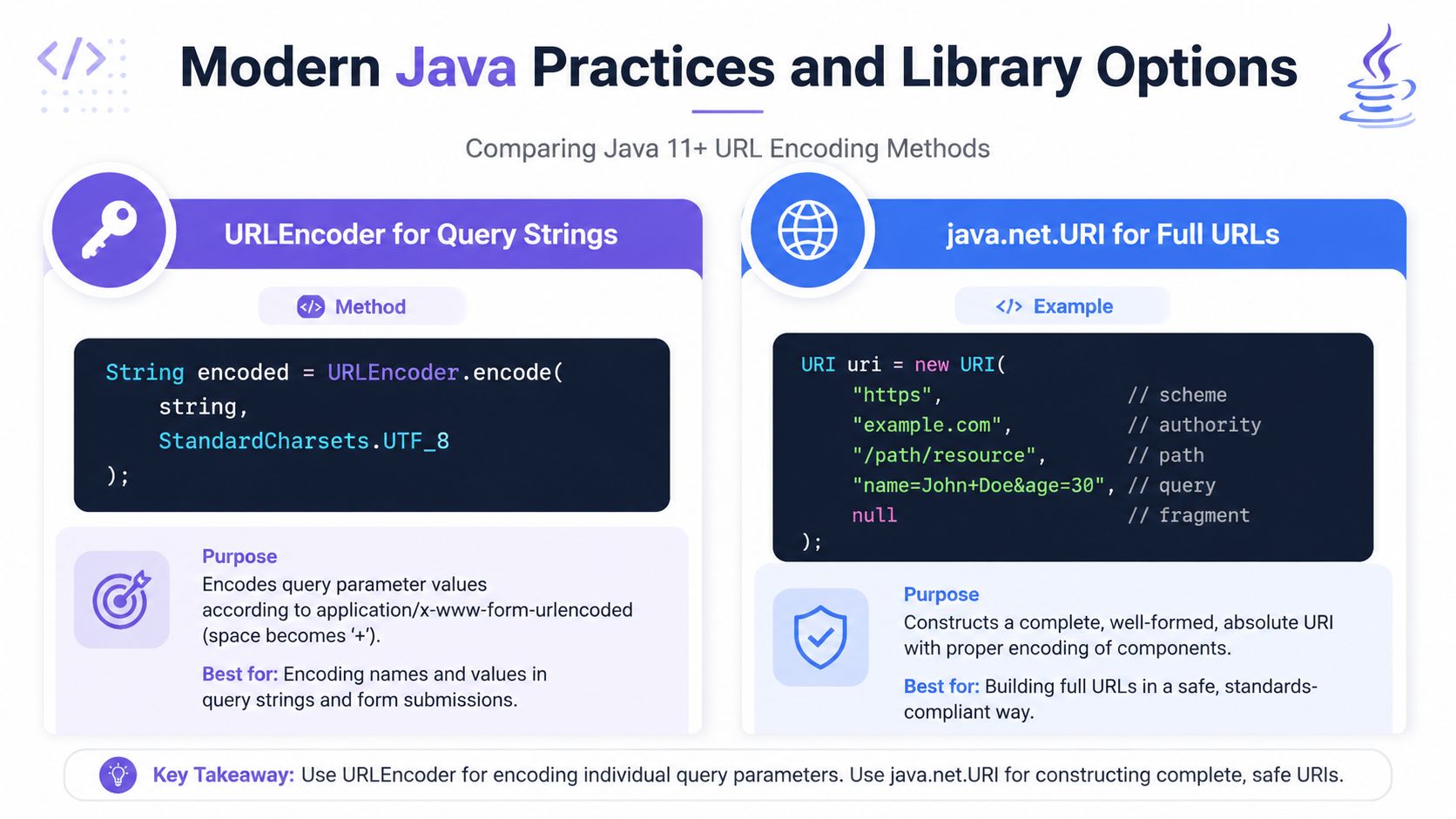
Use java.net.URI when you're constructing a path, a full URL, or any component that follows RFC 3986 rather than HTML form rules. In these contexts, a space is represented as %20, not +, and reserved characters must retain their structural meaning where appropriate.
The multi-argument constructor is useful because it accepts URI components separately.
import java.net.URI;import java.net.URISyntaxException;URI uri = new URI("https","example.com","/search path","q=coffee+%26+tea",null);System.out.println(uri);The path is supplied independently from the query. URI can then represent the path with the appropriate percent-encoding instead of treating the entire URL as form data. This separation also makes it harder to accidentally encode the scheme, hostname, slashes, or question mark.
Choose by component
| URL Component | Use URLEncoder | Use URI | Reason |
|---|---|---|---|
| Query value | Yes | Sometimes, during full assembly | Form encoding maps spaces to + |
| Query delimiter | No | Yes, through component assembly | & and = define structure |
| Path segment | No | Yes | Spaces should use URI percent-encoding |
| Full URL | No | Yes | Preserve scheme, authority, and delimiters |
| Fragment | No | Yes | Fragment syntax differs from form data |
| Form body | Yes | No | The MIME format is form encoding |
For dynamic path segments, avoid concatenating untrusted text directly into a URL. Build the path from its intended components and let a URI-aware API handle encoding. A path such as /users/coffee & tea needs different treatment from a query value containing the same characters.
Practical distinction:
URLEncoderencodes data for a form.URIhelps construct a URI from its structural parts.
Oracle's URL documentation makes the boundary especially clear. java.net.URL doesn't encode or decode components, and Oracle recommends URI for correct component handling, as explained in the URL API reference. Don't use URL as a substitute for a component-aware encoder.
Common Encoding Mistakes and How to Fix Them
Encoding bugs usually come from applying a correct tool at the wrong boundary. The output often remains syntactically valid, which lets the defect survive until a particular character reaches production.
Double-encoding an existing value
A value containing %20 has already gone through percent-encoding. Passing it through URLEncoder again causes the percent sign to become %25.
String alreadyEncoded = "hello%20world";String broken = URLEncoder.encode(alreadyEncoded, StandardCharsets.UTF_8);// hello%2520worldThe fix is to establish an ownership rule. Either your application receives raw values and encodes them once, or a framework owns encoding. Don't mix both approaches.
String raw = "hello world";String encoded = URLEncoder.encode(raw, StandardCharsets.UTF_8);// hello+world for form-style query dataEncoding the entire URL
This is another familiar failure:
String url = "https://example.com/search?q=coffee";String broken = URLEncoder.encode(url, StandardCharsets.UTF_8);The encoder sees the colon, slashes, question mark, and equals sign as data. It has no way to understand that those characters define URL structure.
URI fixed = new URI("https","example.com","/search","q=" + URLEncoder.encode("coffee", StandardCharsets.UTF_8),null);The path and query are kept separate, and only the query value is form-encoded.
| Mistake | Broken Output | Correct Approach | Fixed Output |
|---|---|---|---|
| Encode an already encoded value | %2520 appears | Encode the raw value once | One encoded representation |
| Encode the full URL | Scheme and delimiters are escaped | Split URL components | A parseable URI |
| Use a default charset | Results vary by runtime environment | Specify UTF-8 | Predictable bytes |
Encode a path with URLEncoder | Spaces become + | Construct the path with URI | Spaces become %20 in the URI |
Treat reserved characters deliberately
A slash inside a path can be a separator or data inside one segment. An ampersand in a query can separate parameters or belong to a value. The encoder can't infer your intent after you flatten everything into one string.
Java-focused guidance on URL encoding and decoding pitfalls reinforces the need to split structural parts before encoding. That matters for comparisons and signature checks too, because encoded and unencoded forms aren't always treated as equivalent by URL-processing code.
Modern Java Practices and Library Options
Modern Java doesn't require a replacement for the standard library in every project. A clear division of responsibility works well: use URLEncoder for form-style query values, and use URI to assemble URI components. That approach remains practical across current LTS releases, including Java 21.
Pick the abstraction your project already uses
Spring applications often benefit from UriComponentsBuilder, especially when a request has optional parameters, repeated values, or several path components. It keeps URL assembly readable and integrates naturally with Spring's HTTP clients.
Apache HttpClient users may prefer URLEncodedUtils for form-oriented parameter handling. OkHttp users can use HttpUrl, which provides a URL model optimized for the client and exposes component-aware builders. These libraries can reduce manual string concatenation, but they don't remove the need to understand whether an input is raw or already encoded.
- Spring stack: Use
UriComponentsBuilderwhen Spring already owns request construction. - Lightweight Java service: Use
URIand the JDK charset-aware APIs. - Apache HttpClient: Use its parameter utilities when they match the client's encoding contract.
- OkHttp: Use
HttpUrlfor builder-based URL construction rather than assembling strings.
Security belongs in the same decision. Incorrect component handling can produce ambiguous routing, unsafe redirects, or discrepancies between validation and the final request. Review URL construction as part of broader software composition analysis, particularly when third-party clients and framework layers can each transform parameters.
Library rule: Choose one component owner. A builder, HTTP client, or framework should either receive raw values and encode them, or receive deliberately encoded components. Mixing contracts creates double-encoding defects.
Your URL Encoding Checklist for Production Code
Keep this checklist close to code that constructs requests dynamically. The purpose isn't to memorize every reserved character, but to make the encoding boundary explicit during implementation and review.
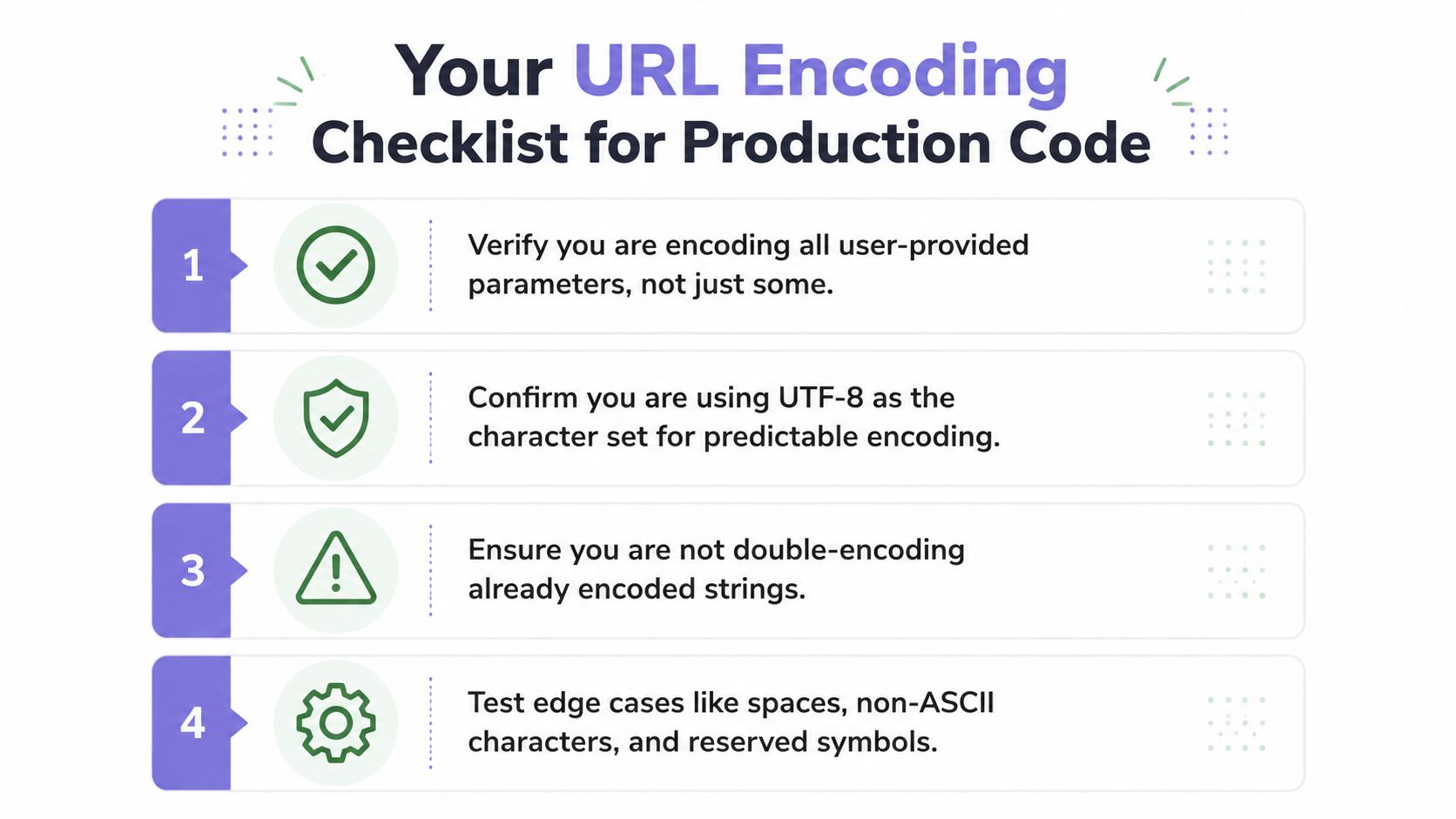
- Identify the component: Decide whether the input belongs to a query value, path segment, fragment, or another URI part before selecting an API.
- Encode once: Keep raw values raw until the component that owns encoding processes them. Search for multiple encoding layers when
%25appears unexpectedly. - Specify UTF-8: Every
URLEncodercall should nameStandardCharsets.UTF_8, or use an equivalent explicit charset supported by the project's Java version. - Preserve structure: Never pass a complete URL to
URLEncoder. Assemble scheme, authority, path, and query as separate components. - Test hostile punctuation: Include spaces, ampersands, equals signs, literal plus signs, slashes, Unicode text, and already encoded-looking input.
- Assert exact output: Integration tests should verify the final request received by the server, not only an intermediate string.
- Audit framework ownership: Confirm whether Spring, Apache HttpClient, OkHttp, or another client expects raw or encoded parameters.
Teams can turn these checks into a pull request template or implementation checklist. The DevArmor implementation checklist offers a useful model for making review requirements visible inside delivery workflows.
A reliable Java URL encode strategy is simple once the boundary is clear. Use URLEncoder for application/x-www-form-urlencoded values, use URI or a component-aware library for URI construction, and never encode a string merely because it happens to contain a URL.
DevArmor helps engineering and application security teams maintain living threat models, review designs in developer workflows, and enforce security policies at pull request time. If URL construction is part of a regulated or security-sensitive system, visit DevArmor to connect implementation decisions with continuous security context.
Related reading
- SQL Query Parameterization: A Practical Guide — parameterized queries done right across languages.
- 8 Examples: What's Wrong with This Code? — spot the security flaw in real code samples.
- 8 XSS Attacks Examples: Code, Impact, and Fixes — real XSS payloads, their impact, and fixes.
Table of Contents
Subscribe