Security Context Kubernetes Hardening Guide for Teams
 Reza Khosravi
Table of Contents
A lot of teams are in the same spot right now. A workload deploys cleanly, passes its health checks, and starts serving traffic. Then someone looks closer and notices the container is running as root, can write anywhere in its filesystem, and still has privileges it never needed.
Nothing is visibly broken, which is exactly why this gets missed.
Kubernetes moved into mainstream infrastructure fast. The CNCF Annual Survey 2023 reported that 66% of potential or actual cloud consumers were using Kubernetes in production and another 18% were evaluating it, for 84% combined adoption or near-adoption, while security was the leading challenge for 40% of organizations according to the same survey and summary from CNCF. The hard part is that most insecure pods don't look dramatic. They look normal, useful, and ready to merge.
Introduction Why Security Context Matters Now
The easiest way to understand security context Kubernetes settings is to start with a common deployment mistake. A developer ships a web API from a base image that defaults to root. The pod comes up fine. Logs write successfully. Temporary files work. No one has to fight permissions during the release.
That convenience comes with a trade-off. If the application is compromised, the attacker lands inside a container that may have more power than the application needs. In Kubernetes, securityContext is one of the main controls you have to reduce that blast radius without rewriting the app itself.
Why this became a platform concern
Kubernetes security guidance matured early because teams needed repeatable guardrails, not one-off hardening notes. The CIS Kubernetes Benchmark became a community-consensus secure configuration standard, reflecting a broader shift from ad hoc hardening to standardized controls. That shift makes sense when you look at recent operating pressure: by 2024, Red Hat's State of Kubernetes Security report found 89% of organizations had experienced at least one container or Kubernetes security incident in the prior 12 months, and 67% said security concerns slowed deployments, as summarized in this report reference.
Security context sits right in the middle of that tension. Developers want workloads that start reliably. Platform and security teams want workloads that start with fewer privileges.
A secure pod usually isn't the one with the most settings. It's the one with the fewest privileges needed to do its job.
What security context really changes
This isn't a cosmetic manifest tweak. These settings control how a pod and its containers run at runtime. They affect identity, filesystem behavior, kernel privileges, and syscall boundaries.
A few of the highest-value controls are straightforward:
- Non-root execution: Prevents workloads from starting as root when they don't need to.
- Read-only filesystems: Limits where an attacker or buggy process can write.
- Privilege escalation controls: Stops processes from gaining more power after startup.
- Capability trimming: Removes kernel-level privileges one by one instead of treating everything as all-or-nothing.
Teams often treat these as a checklist item for one pull request. The operational reality is different. The settings can drift across Helm charts, overlays, sidecars, and container-level overrides unless you keep them visible and enforced over time.
How Kubernetes Security Context Works at Pod and Container Level
The cleanest mental model is this: pod-level security context sets building-wide rules, while container-level security context sets room-specific rules.
If you set defaults at the pod level, every container in that pod inherits those rules where Kubernetes supports that scope. Then each container can narrow or override behavior for its own needs. That combination is why security context is powerful, and also why it can drift.
The control surface is broader than one flag
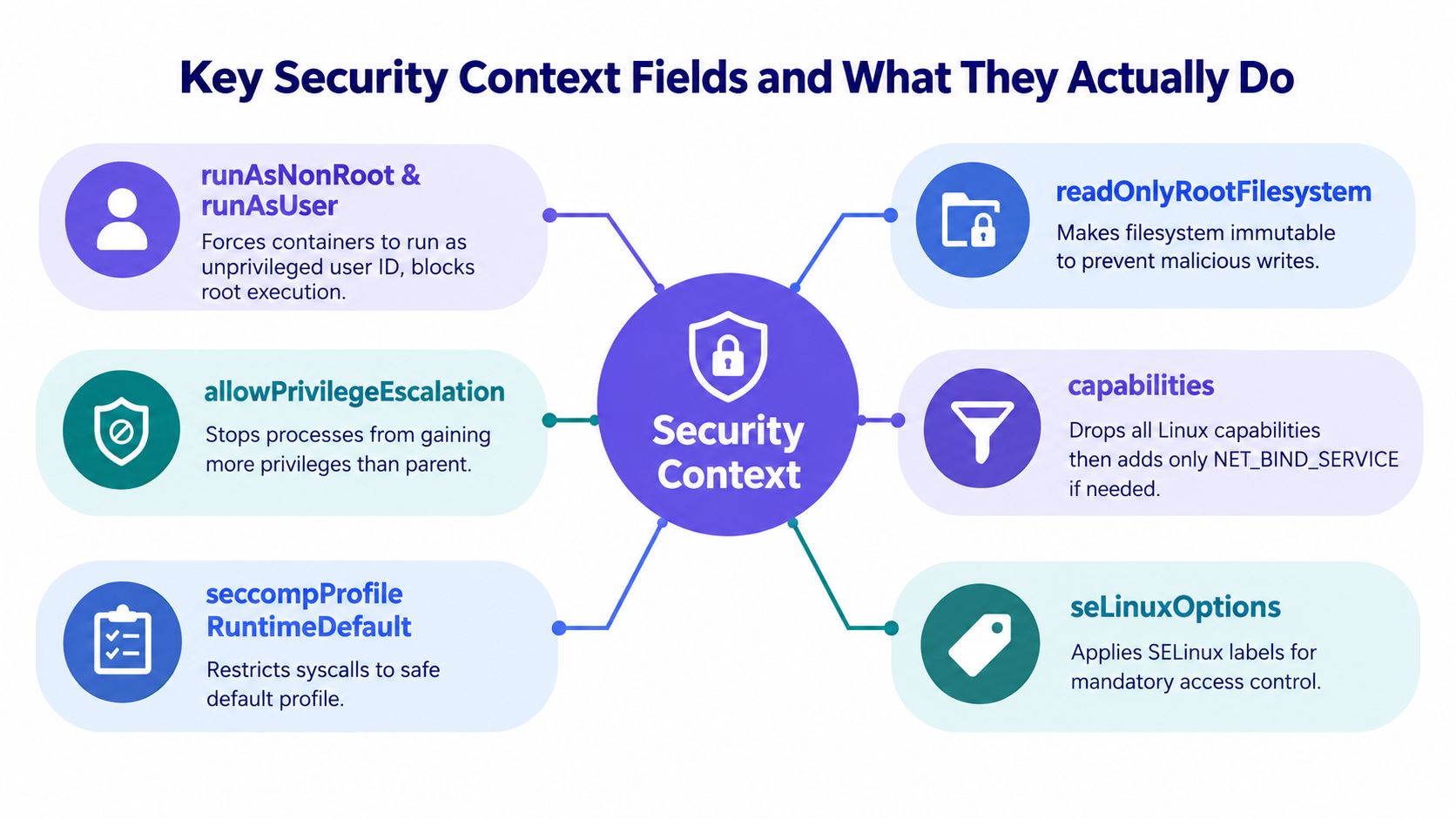
Kubernetes documents security context as a runtime control surface attached to Pods and containers, covering UID and GID-based discretionary access control, SELinux labels, Linux capabilities, AppArmor, and seccomp in the official Kubernetes security context documentation.
That matters because hardening is compositional. You rarely get a strong result from a single switch.
For teams that are also evaluating broader platform patterns, these scalable container orchestration insights help put workload hardening into the wider orchestration picture.
Practical rule: Put shared identity and volume-access defaults at the pod level. Tighten privilege and syscall boundaries at the container level.
Pod scope versus container scope
Here's where readers often get tripped up. "Applies to the pod" doesn't mean "cannot be changed lower down." Some fields set pod-wide defaults. Some are container-specific by design. Some can be effectively replaced when a container defines its own value.
A simple way to consider it.
- Pod-level settings: Best for common identity and shared behavior across all containers in the pod.
- Container-level settings: Best for least-privilege tuning of the actual process that runs in each container.
- Overrides: Useful when one sidecar or init container needs different treatment, but also a common source of drift.
Why defaults and overrides both matter
Pod-wide defaults make governance easier. If every container in a deployment should run as a non-root identity and use a default seccomp profile, one pod-level definition reduces repetition and lowers the chance that a new sidecar ships without those basics.
Container-level tightening is still necessary because not all workloads need the same privileges. Your app container might need no added capabilities at all, while a proxy sidecar may need a narrowly scoped exception. Kubernetes' own guidance emphasizes that runAsNonRoot prevents root startup, readOnlyRootFilesystem limits filesystem writes, allowPrivilegeEscalation=false blocks post-start privilege gain, and dropping capabilities removes only the specific kernel privileges a workload does not need, which is usually less disruptive than fully privileged operation.
That last point is worth lingering on. Many developers assume the choice is either "runs normally" or "fully locked down." In practice, you can remove privileges gradually. That makes security context one of the more developer-friendly hardening tools in Kubernetes.
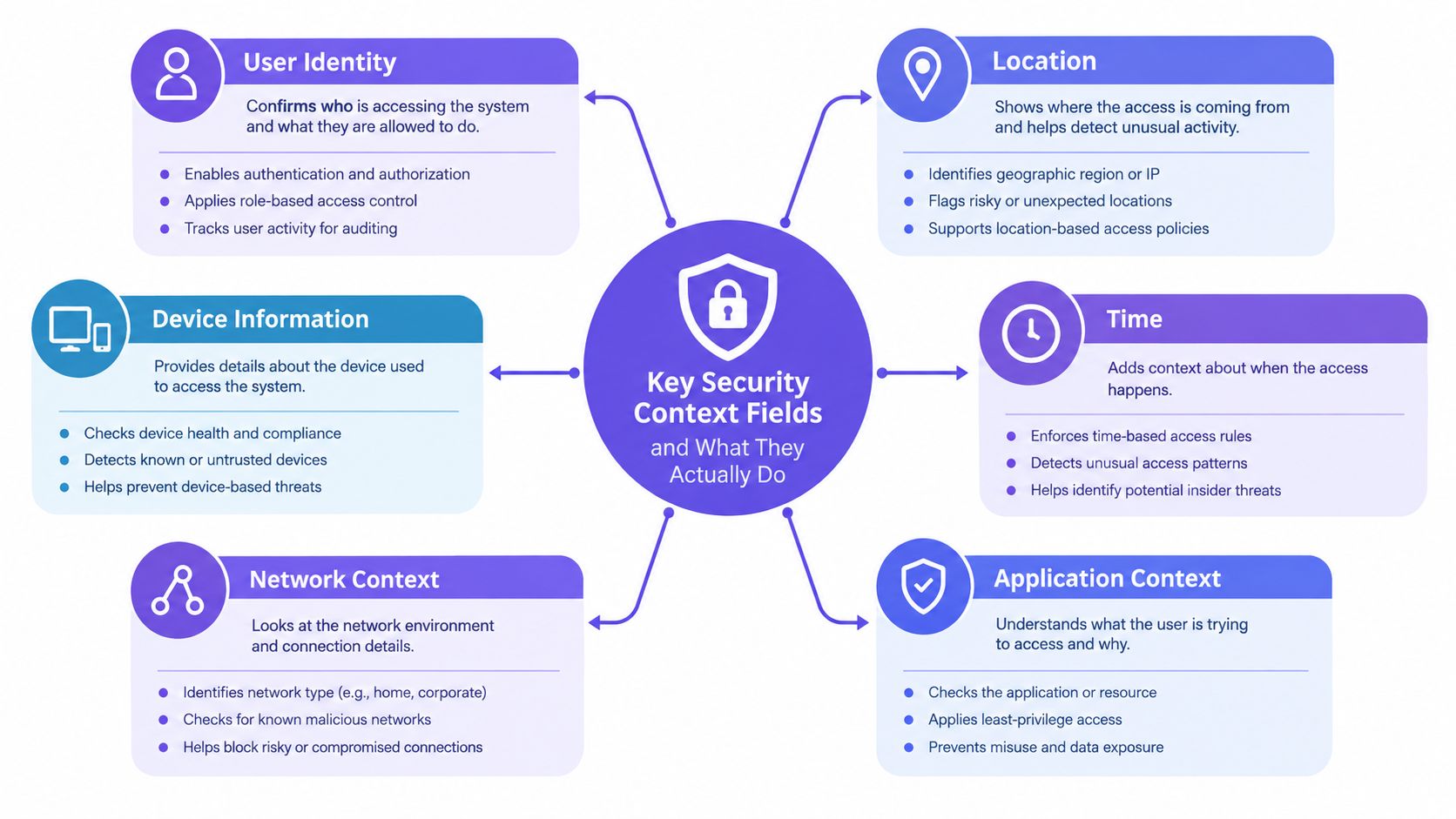
Key Security Context Fields and What They Actually Do
The fastest way to make security context Kubernetes settings useful is to stop reading them as YAML trivia and start reading them as risk controls. Each field removes a different kind of freedom from the running container.
Some controls affect who the process runs as. Others affect what it can write, what kernel features it can touch, or which syscalls it can make.
Identity controls
runAsNonRoot is the first gate. It tells Kubernetes not to start the container as root. This is often the cleanest safety check because it blocks a class of risky defaults without requiring you to memorize user IDs.
runAsUser gets more explicit. It tells the workload which user ID to run as. That can be necessary when the image supports non-root execution but doesn't define the runtime identity the way your platform expects.
Use them together when you can. One expresses intent. The other makes the identity concrete.
What confusion looks like in real teams:
- A developer sets only
runAsUser: The image still has assumptions that break at runtime. - A developer sets only
runAsNonRoot: The image works if built correctly, but identity may still vary across images. - A platform team sets pod defaults: A single container later overrides them for convenience and no one notices in review.
Filesystem and privilege controls
readOnlyRootFilesystem makes the root filesystem immutable. If the application or an attacker tries to write into the image filesystem, that write fails. This is one of the most effective ways to turn vague "container immutability" into a runtime boundary.
The trade-off is practical, not theoretical. Many apps still expect writable paths for cache files, temp files, PID files, or package behavior. The right response usually isn't to disable the control. It's to mount explicit writable volumes only where needed.
allowPrivilegeEscalation: false stops a process from gaining more privilege after startup. If you're new to Linux privilege semantics, think of this as blocking certain "power-up after launch" paths inside the container. It doesn't solve everything, but it closes off a risky category of runtime behavior.
If a container needs broad privileges to boot, treat that as a design question first, not a YAML habit.
Capability and syscall boundaries
Linux capabilities are where many teams either overgrant or give up. Running privileged is the blunt instrument. Dropping capabilities is the scalpel.
A good baseline is to drop everything and add back only what the workload demonstrably needs. Kubernetes notes that dropping capabilities is often less disruptive than running fully privileged, because you remove only the specific kernel privileges that aren't required.
That makes capability trimming a good middle path for stubborn workloads.
Then there are syscall and access controls:
seccompProfile: RuntimeDefaultlimits the syscalls available to the container using the runtime's default profile.- SELinux options apply mandatory access control labels where that model is in use.
- AppArmor can define access restrictions for processes where supported.
These settings don't usually become the first thing a developer reaches for. They often become valuable after a team has already handled non-root execution and filesystem hardening, then wants a stronger runtime boundary without changing application code.
The key lesson is composition. None of these settings is the whole answer. Together, they turn an ordinary pod into a workload with tighter identity, fewer writable surfaces, narrower kernel privileges, and better runtime boundaries.
Practical Security Context Examples for Hardened Pods
Theory helps. Manifests make it stick.
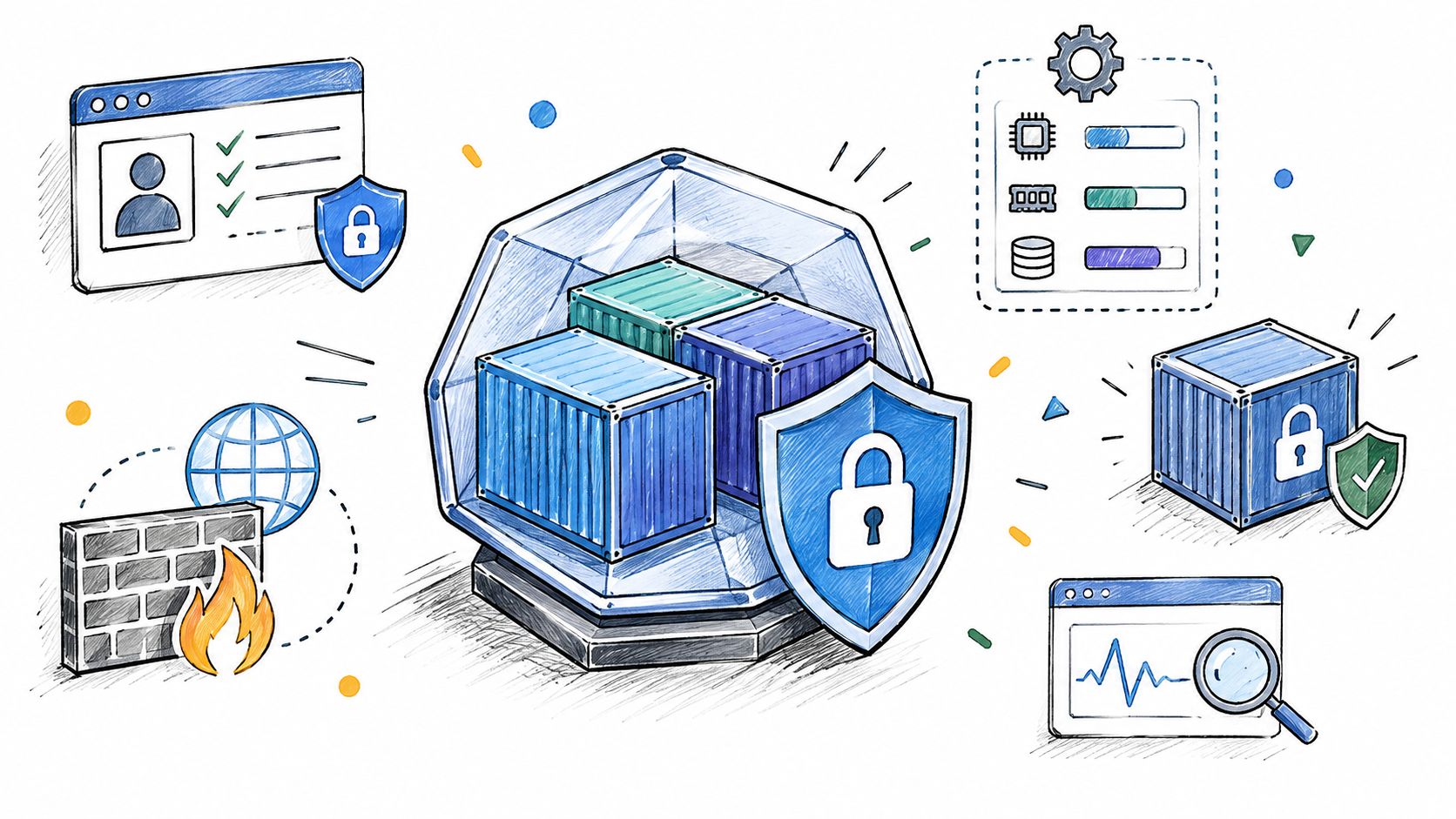
The safest pattern is simple: set pod-level defaults for identity and baseline runtime behavior, then use container-level security context to tighten each workload. If the app breaks, add back only the minimum it needs.
If your team is also standardizing container hardening outside Kubernetes, this guide to Docker container security practices is a useful companion.
A reasonable pod-level baseline
This example gives every container in the pod a safer starting point.
apiVersion: v1kind: Podmetadata:name: appspec:securityContext:runAsNonRoot: truerunAsUser: 1000fsGroup: 2000seccompProfile:type: RuntimeDefaultcontainers:- name: apiimage: my-app:latestWhy these belong at the pod level:
- Shared identity intent: Every container should avoid root by default.
- Volume access consistency:
fsGrouphelps mounted volumes work with non-root processes. - Runtime syscall baseline: A default seccomp profile applies a safer floor.
Container-level tightening
Now tighten the actual application container.
apiVersion: v1kind: Podmetadata:name: appspec:securityContext:runAsNonRoot: truerunAsUser: 1000fsGroup: 2000seccompProfile:type: RuntimeDefaultcontainers:- name: apiimage: my-app:latestsecurityContext:allowPrivilegeEscalation: falsereadOnlyRootFilesystem: truecapabilities:drop:- ALLadd:- NET_BIND_SERVICEvolumeMounts:- name: tmpmountPath: /tmpvolumes:- name: tmpemptyDir: {}This version changes the blast radius substantially. The container can't escalate privilege, can't write back into its root filesystem, and doesn't keep broad Linux capabilities. If it must bind to a low port, you add only NET_BIND_SERVICE instead of leaving a wider privilege set in place.
Before and after thinking
A quick comparison helps when reviewing pull requests:
- Before hardening: Root user, writable root filesystem, inherited capabilities, unclear syscall boundary.
- After hardening: Non-root execution, explicit writable path for temp data, privilege escalation blocked, capabilities reduced to minimum.
That doesn't guarantee safety. It does make exploitation paths narrower and post-compromise movement harder.
Special cases that trip teams up
Two scenarios deserve extra attention:
Init containers
These sometimes need different permissions than the main app. Keep those exceptions explicit and local to the init container rather than weakening the entire pod.Writable application paths
IfreadOnlyRootFilesystembreaks startup, inspect what path the app wants to write to. Then mount a volume for that path instead of turning the whole root filesystem writable again.
Harden the pod around the app you have. Don't wait for the perfect image to start reducing risk.
Enforcing Security Context With Pod Security Standards
Writing secure manifests is only half the job. Teams still need a way to stop unsafe settings from reaching the cluster when charts, overlays, or generated YAML drift.
Kubernetes now handles much of this through Pod Security Admission and the Pod Security Standards, which define three cumulative levels: privileged, baseline, and restricted in the official Pod Security Standards documentation.
What gets checked and when
The important operational detail is timing. These restrictions are applied at namespace admission time when a Pod is created. That means insecure settings such as hostNetwork, hostPath, privileged, or unsafe sysctls can be denied before deployment instead of being discovered later during runtime review.
For many teams, the most useful built-in target is restricted. Kubernetes describes it as following current hardening best practices, and it commonly expects pods to run as non-root and avoid privilege escalation.
Choosing rollout mode without breaking teams
Admission isn't all-or-nothing. Kubernetes supports enforce, audit, and warn modes, which lets platform teams stage rollout more safely.
That progression is practical:
- Audit first: Learn what existing workloads violate.
- Warn next: Show developers what will break soon.
- Enforce last: Block noncompliant manifests once teams have adapted.
If you're formalizing these checks alongside review gates, these policy-as-code examples are useful for connecting cluster policy to pull request policy.
| Standard Level | What It Blocks | Best Fit Namespace | Recommended Mode to Start |
|---|---|---|---|
| Privileged | Very little. Designed for highly trusted workloads. | Dedicated system or exception namespaces | Audit |
| Baseline | Known privilege-escalation patterns and clearly unsafe pod settings | Shared development namespaces and transitional environments | Warn |
| Restricted | Broad hardening requirements aligned with safer defaults such as non-root execution and reduced privilege | Staging and production application namespaces | Audit, then Enforce |
A decision pattern that works
Most platform teams don't need one standard for every namespace.
Use a more deliberate split:
- Development namespaces: Start with baseline in warn mode if teams are still cleaning up older charts.
- Staging namespaces: Move closer to restricted and let warnings surface migration work before production.
- Production namespaces: Aim for restricted with enforce mode once workloads have proven they comply.
Developers often push back, and sometimes they're right. Some legacy workloads need temporary exceptions. The trick is to keep those exceptions narrow, documented, and time-bounded instead of lowering the namespace standard for everything else.
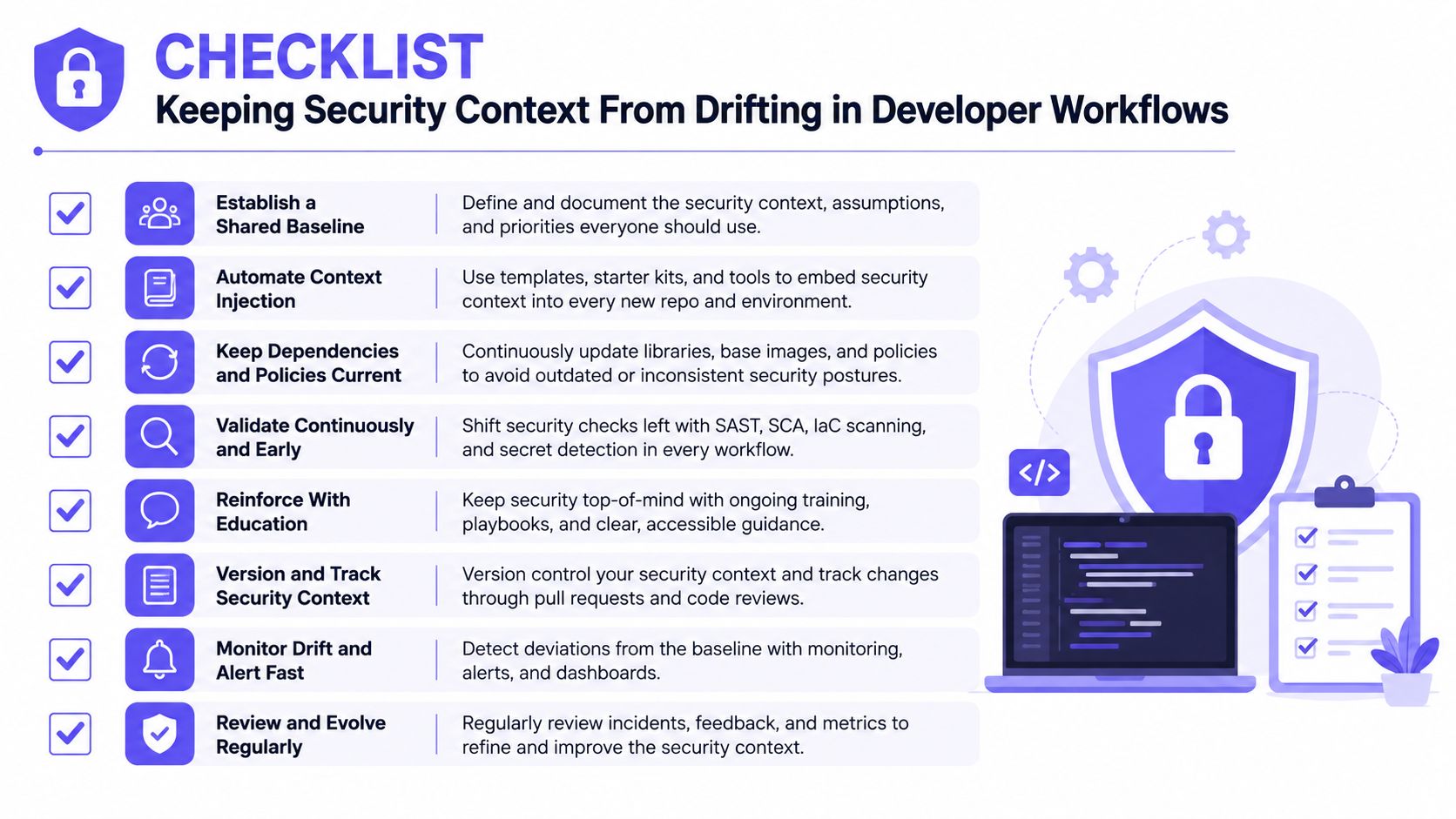
Keeping Security Context From Drifting in Developer Workflows
Most guidance on security context Kubernetes ends too early. It tells you which fields to set, but not how to keep those settings intact when Helm values change, Kustomize overlays diverge, sidecars get added, or an AI coding tool generates a manifest that overrides the pod defaults.
That gap is more important than it sounds. OWASP frames Kubernetes security context as something that should be applied throughout the infrastructure, while much of the newer guidance still treats it like a manifest checklist. The deeper issue isn't knowing the secure fields. It's proving that workloads stay aligned with them as delivery keeps moving, as noted in the OWASP Kubernetes Security Cheat Sheet.
Where drift usually starts
In practice, drift often begins in small, reasonable-looking changes:
- Chart flexibility: A chart exposes container security fields as values, and one environment overrides them for convenience.
- Sidecar additions: A logging or proxy container arrives without the same tightened settings as the main app.
- Image changes: A new base image expects root-owned paths and someone relaxes controls to get the deployment green.
- Generated YAML: A template or coding assistant emits a manifest that sets secure pod defaults, then replaces them at the container level.
None of those look like a major security event in a pull request. That's why reviewers miss them.
Make security context visible before merge
The fix isn't more documentation alone. Teams need workflow guardrails.
Good workflow patterns include:
- Pull request checks: Validate required fields and block unsafe overrides before merge.
- Diff-aware review: Highlight when a container-level setting weakens a pod-level default.
- IDE feedback: Show developers that a writable root filesystem or missing seccomp profile violates team policy while they're editing.
- Traceable exceptions: Record who approved a deviation and why, especially in regulated environments.
This is also where one workflow platform can help alongside native Kubernetes controls. DevArmor surfaces security context in planning tools, IDEs, and source control, and can tie Policy-as-Code checks to traceable review outcomes. That model is useful when teams need proof that workload hardening decisions remained consistent from design through pull request and deployment. For a related view on keeping infrastructure decisions connected to design, this piece on cloud-native IaC threat modeling is relevant.
Secure defaults are easy to declare once. The hard part is keeping them true after ten small changes by three different teams.
Treat it like a living control surface
This is the mindset shift that matters most. Security context isn't just YAML hygiene. It's a continuously governed control surface.
When teams adopt that view, reviews get sharper. Instead of asking, "Did we set runAsNonRoot somewhere?" they ask, "What guarantees keep this non-root, non-escalating, minimally privileged posture intact across every update?"
That question is much closer to how real platform security works.
Conclusion Your Hardened Security Context Checklist
A hardened workload usually starts with a small set of composed controls, not a giant policy stack. Set pod-wide defaults for identity and shared runtime behavior. Tighten each container with explicit privilege boundaries. Then enforce those expectations before deployment and keep them from drifting in normal developer work.
Use this checklist on the next pull request:
- Confirm non-root execution: Check
runAsNonRoot, and setrunAsUserwhere your platform needs explicit identity. - Lock the root filesystem: Use
readOnlyRootFilesystemand add writable volumes only for specific paths that need them. - Block post-start privilege gain: Set
allowPrivilegeEscalation: falseunless there's a clearly justified exception. - Trim kernel privileges: Drop capabilities broadly, then add back only the exact capability a workload needs.
- Set syscall boundaries: Prefer
seccompProfile: RuntimeDefaultas part of your baseline. - Enforce admission rules: Stage Pod Security Standards with audit, warn, and then enforce.
- Watch for drift: Review container-level overrides, generated manifests, and chart values as ongoing governance work.
You don't need to solve every edge case in one sprint. Small, well-chosen controls compound into stronger workload isolation.
DevArmor helps teams keep this kind of hardening alive beyond a one-time manifest review. It connects continuous threat modeling, design review, and Policy-as-Code enforcement inside normal developer workflows so security context decisions can stay visible and enforceable as code changes. If you want that workflow-level governance for Kubernetes and adjacent delivery controls, visit DevArmor.
Table of Contents
Subscribe