
How to Draw a Data Flow Diagram from Source Code
 Reza Khosravi
Table of Contents
A pentest asks where a card token goes after a customer submits checkout, and the service has no architecture document. The repository is the only reliable starting point: routes show what can enter, persistence code shows what gets stored, and client configuration points to outside systems.
A useful data flow diagram from source code isn't a picture of every function call. It's a security artifact: each box and arrow is justified by a file and symbol in the repository, and each crossing of a trust boundary names a control. Without that evidence, a polished diagram can still miss the sink where sensitive data leaks or authority changes.
Code Shapes That Belong on the Diagram
Start with the checkout journey, not the framework. A browser posts a card token to PaymentsController; the controller writes an orders row and publishes a billing message; a worker consumes that message and sends it to a payment processor. Each of those steps represents a different kind of shape, and each needs evidence in code before it belongs on the page.
The distinction between a process and a helper matters. A controller action, queue worker, scheduled job, or command-line entry point can be a process because it starts or directs a meaningful data transformation. A utility function that formats a string usually belongs inside the process that calls it. Drawing every helper creates a call graph, not a data flow diagram.
| Shape | What it represents | Where to find it in code |
|---|---|---|
| Process | A unit that transforms data, not every function | Route handler, controller action, worker, cron, or CLI command |
| Data store | Durable or shared state | SQL table, object bucket, cache keyspace, or queue used as a buffer |
| External entity | Actor or system outside this codebase | End user, identity provider, partner API, webhook sender |
| Data flow | A named payload moving between shapes | Request or response body, function arguments, message schema, ORM read or write |
| Trust boundary | A change of privilege, network, or tenant | Public ingress, service-to-service hop, third-party call, admin versus user role |
Require evidence for every shape
A process needs an entry point and a symbol that performs or directs the work. Cite the route and action for the checkout endpoint, or the queue registration and handler for the worker. Don't turn a library into a separate process just because it has its own package. Treat a shared library as a process only when it makes a consequential decision, such as authorizing a request, encrypting data, or selecting a tenant.
A data store needs evidence of shared or durable state. Migrations and ORM models can establish that a table exists; a repository method, ORM call, or raw SQL statement establishes the read or write in the journey. Include the relevant column or key when you can identify it. For the example, the controller's insert into the orders table earns the store, while the publish and consume sites show how the billing queue participates in the path.
An external entity sits beyond the codebase, whether it's a person, another service, or a vendor API. Find evidence in route definitions, identity-provider settings, webhook handlers, client configuration, or the code that uses a generated client. The payment processor is not an internal process merely because the application calls it through an SDK.
A data flow describes the payload, not the call. Request bodies, arguments, queue schemas, ORM reads and writes, and responses can show what moves. Label the checkout arrows with terms such as “card token,” “billing message,” and “charge result,” rather than publish() or send().
A trust boundary marks a change in privilege, network location, or tenant context. Public ingress, a call to a third party, and a transition from user permissions to administrator permissions each deserve scrutiny. Cite the route configuration, authorization decision, service configuration, or other code that supports the boundary.
Practical rule: If a box or arrow has no file and symbol citation, remove it or keep tracing until you have evidence.
Inventory Then the Ten-Step Trace
Freeze the checkout repository at a commit before tracing. That gives reviewers a stable point of reference: a citation should lead to the code that justified the diagram, rather than a moving target after a refactor.
Inventory one deployable service. Record its routes, queue consumers, schedulers, and command-line entry points; its dependency manifest; its migrations or ORM models; outbound hosts; and the service list for the environment you're documenting. Skip vendor trees, framework internals, and test fixtures unless they carry the live payload. A shared library usually stays inside the calling process; split it out only when it authorizes, encrypts, or chooses a tenant.
If the inventory work is part of a broader code review, a source code audit checklist can help frame what to inspect. The trace itself still needs to follow a particular journey through the deployable code.
Trace the journey
Lock one journey and one deployable. Write down the user action and intended outcome, such as paying for an order. Tracing the whole repository at once blurs ownership and trust boundaries; following one deployable keeps the scope reviewable.
List routes, consumers, scheduled jobs, and CLIs. Check the framework's registration points, not just controller directories. A webhook handler or background worker can be a live entry point even if a browser route never calls it.
Name the payload at each hop. Record what moves, such as a card token, order identifier, or billing message. A function name tells you how code is organized; it doesn't tell the reviewer what crosses the arrow.
Add the store and field or key on each read and write. Follow ORM methods as well as raw SQL. Generated SQL still changes persistent state, so an ORM insert is not a reason to omit the orders store. Check hooks and callbacks too, since they can add writes that aren't visible beside the original call.
Find each external from the client and configuration. Inspect SDK use, generated clients, webhook integrations, service-mesh routing, and configured hosts. A comment can be stale, and a mesh hop can hide the actual destination if you stop at the application client.
Mark where privilege, network, or tenant changes. Draw the boundary at the transition, not around an arbitrary class or folder. A third-party processor call crosses out of the service's trust domain even if the application hides it behind a client wrapper.
Label each arrow with the data class. Use “card token,” “order ID,” or “charge result.” Labels like “calls” and “handles” describe control flow, not the information being protected.
Fold helpers and middleware into the process that makes the decision. Keep the diagram at the level a reviewer can use to reason about data and controls. If every formatter, validator, and wrapper becomes a box, the picture turns into a call graph.
Draw the context view, then the journey view. The context view shows the system and its external entities. The detailed view adds the processes and stores involved in the chosen journey. A queue is a flow out of the publisher, a flow into the consumer, and a store when it buffers messages.
Cite every shape and stop at a useful boundary. Attach a file and symbol to each box and arrow. Stop when another hop adds no store, external entity, trust boundary, or meaningful transformation; don't expand the diagram just to include every call. A secret in configuration is a control, not automatically a data flow, unless code logs it, returns it, or otherwise exposes it.
| Step | Action | Slip |
|---|---|---|
| 1 | Lock one journey and one deployable | Tracing the whole repo smears trust boundaries |
| 2 | List routes, consumers, cron, and CLIs | A webhook or worker never becomes a process |
| 3 | Record the payload name each hop | The arrow is named after the function |
| 4 | Add a store and column or key on each read or write | An ORM write is skipped because the SQL is generated |
| 5 | Add the external from client config, including generated clients and meshes | The host is taken from a comment or a mesh hop is missed |
| 6 | Draw a boundary where privilege, network, or tenant changes | A third-party call sits inside the system box |
| 7 | Name the data class on the arrow | The label says calls or handles |
| 8 | Collapse helpers and middleware into the deciding process | The picture becomes a call graph |
| 9 | Draw the context view, then the journey view | One queue arrow hides the consumer |
Number the Checkout Diagram
Give the assessor two views: a context diagram that defines the system's surroundings, and a detailed sheet for the payment journey. The context view answers who or what exchanges data with the service. The detailed view shows the processes, stores, payloads, and trust boundaries that matter for this path.
Level 0, the context
Number the checkout system as 0. Put the browser user, identity provider, and payment processor outside the system boundary as named external entities. Show the relevant exchanges, such as a card token entering the system and a charge result leaving it.
Keep this view deliberately spare. It should orient a reader, not document controller internals. If the identity provider participates in the chosen journey, show the actual exchange supported by code; don't add an arrow merely because the service has an identity-provider dependency.
Level 1, the payment journey
Number processes in the order data moves:
- 1.0 PaymentsController receives the token.
- 2.0 Billing publisher creates and publishes the billing message.
- 3.0 Billing worker consumes the message and prepares the processor request.
- 4.0 Processor client sends the request to the external processor.
Use D1 orders and D2 billing queue for the stores. Show the queue as the publisher's outgoing flow, the worker's incoming flow, and a store if it buffers messages. Keep the browser and processor as external boxes beyond the system boundary.
Draw the public-ingress boundary around process 1.0, where the browser request enters the service. Draw a separate third-party boundary at the hop from process 4.0 to the processor. Don't imply that a boundary is a control: the route's authentication and validation, and the controls on the outbound request, still need their own evidence.
Each arrow should carry both a payload label and a citation. For example, cite the route's post-body handling for the token, the controller's orders insert for the store write, the publisher's call and message schema for the billing message, the worker's consumer for its read, and client configuration for the processor host. Don't number helpers collapsed into 1.0. A refund starts at 5.0 on its own sheet, because it is another journey, not another helper in checkout.
Security Checks That Validate Each Flow
Start with the card token and follow it from source to sink. It enters through a public route, is written to the orders row, moves through a billing message, and leaves in a request to the payment processor. The diagram earns security value only when the reviewer can verify that each step is reachable and that the boundary crossings have actual controls.
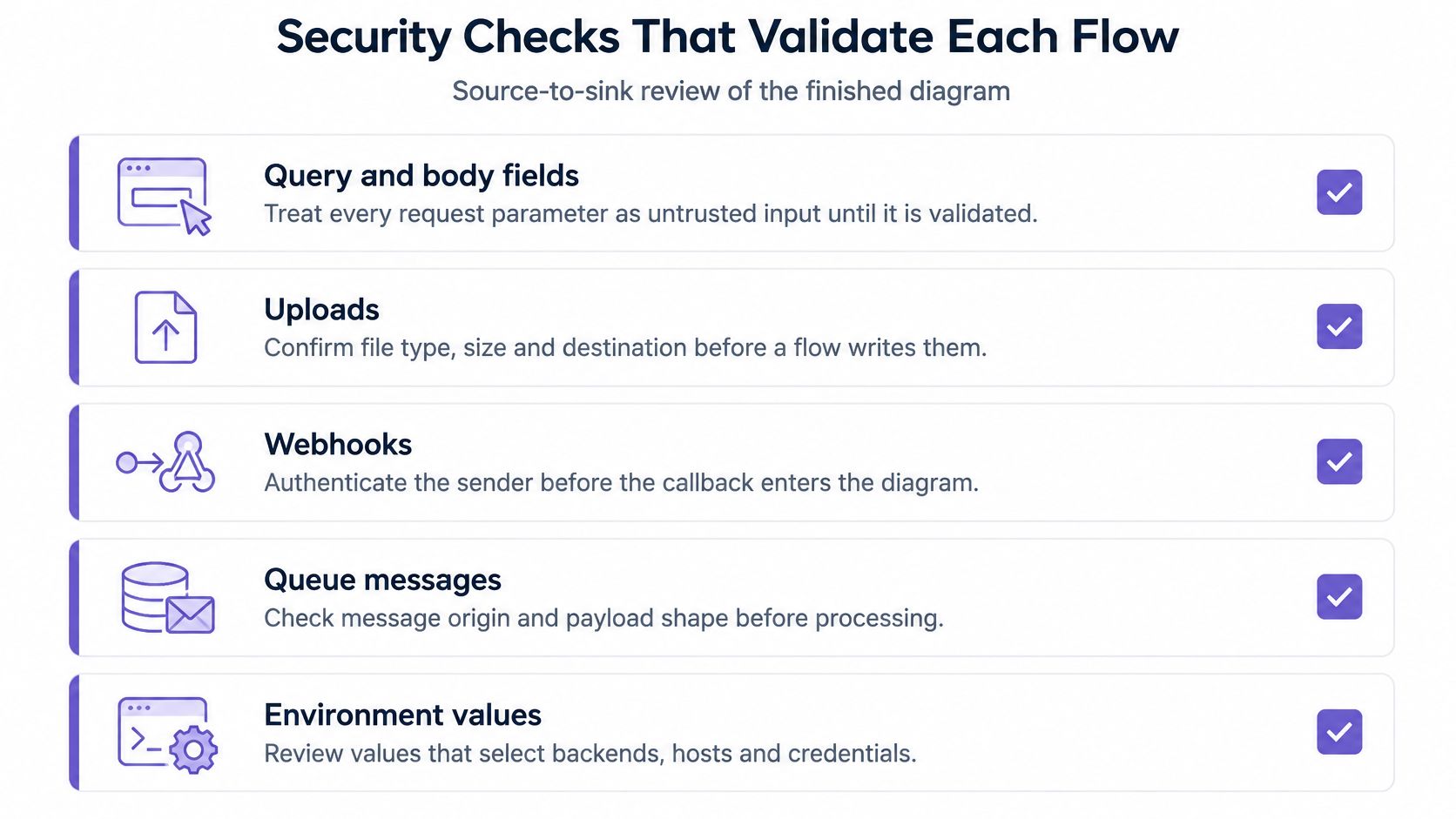
Sources are inputs an attacker or outside actor can influence: request fields, uploads, webhooks, queue messages, and environment values that select behavior. Sinks are operations where data can leak or gain authority, including SQL, shell commands, logs, outbound HTTP, object storage, and responses returned to another user. A source-to-sink review asks what enters, what happens to it, and where it ends up.
Make each boundary crossing earn its place
A crossing passes only when the diagram names a control on that hop and the code supports it. Depending on the flow, that might be authentication, authorization, schema validation, encryption, or redaction. If the arrow is drawn but the control exists only as an assumption, fail the review and trace the implementation.
The same check catches diagrams that look complete but miss a sink. A controller may store a token, while an ORM hook or logging middleware copies it somewhere else. A worker may send the message to a client that resolves its host through a mesh or environment setting. Follow the payload to the final operation, including transformations and side effects, rather than stopping at the most obvious call.
| Check | Pass looks like | Fail looks like |
|---|---|---|
| Entry points | Every route, consumer, cron, and CLI in scope is a process | A webhook or worker exists in code and not on the diagram |
| Stores | Each store has at least one cited read or write | A table in migrations has no arrow |
| Externals | Every outbound host in config is an entity | A payment or IdP client is missing |
| Boundary control | Each crossing names authz, validation, encryption, or redaction | The arrow exists and the control is assumed |
| Sensitive data | Arrows name the data class, not the function | Labels say calls or handles only |
| Runtime match | One path agrees with a log or integration test | The diagram includes dead or flag-off code as if it were live |
Check reachability, not just presence
A route in the repository doesn't prove that the route is live. Check whether the handler is registered, whether a feature flag is enabled in the environment being assessed, and whether authorization restricts the route to an administrative role. A dead handler or an admin-only endpoint drawn as public gives the reader a false picture of exposure.
Spot-check a path against a real request log or an integration test. The goal is to confirm that the diagram matches the application's runtime behavior, not merely that the cited symbols compile. An integration test can confirm the route-to-worker path; a carefully chosen log can help verify the destination and payload handling, provided the log itself doesn't expose sensitive data.
For threat analysis beyond tracing the path, a STRIDE threat-modeling guide can help organize the risks associated with the actors and boundaries. It doesn't replace the source review. A diagram with citations but no sink review isn't ready to hand to an assessor.
Decide Whether the Diagram Is Review Ready
The gate is simple: every box and arrow cites a file and symbol at the frozen commit; every trust-boundary crossing names a control; and every sensitive path has a source and a sink. If any one of those conditions fails, return to the trace or the validation checks. Don't polish the layout to disguise a gap in evidence.
Once the diagram passes, put it where changes to the journey happen. Link it from the service README and the ticket for checkout, then review the arrows touched by a pull request. Assign someone to maintain it. Rebuilding the sheet from scratch for each audit invites drift as soon as the code changes.
When formal documentation is already missing, reconstructing the security context from the repository is a practical starting point. DevArmor can reconstruct that context from a team's source code and map systems and risks; customers remain responsible for evaluating outputs through code review, security testing, and compliance validation. DevArmor doesn't train models on customers' code or designs. For a separate example of how teams make technical checks part of a compliance workflow, Ship Restrict's testing compliance rules for firearms stores offers a concrete reference point, while verification requirements for security reviews can help frame what evidence a review should retain.
The decision is whether the sheet is evidence or a sketch. Evidence has citations, controls, and an owner who updates it when the code moves.
DevArmor helps teams reconstruct security context from source code and keep design decisions connected to implementation reviews. If you're turning a repository trace into a maintained security artifact, visit DevArmor to see how it fits into existing development workflows.
Table of Contents
Subscribe


